
.png)
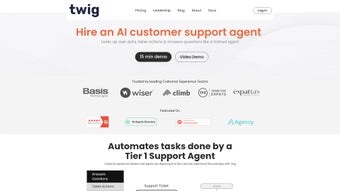
Description
Download Twig AIv1 2 – AI‑Powered Customer Query Tool for Marketing Teams
Overview
Twig AIv1 2 is a web‑based, subscription‑driven software application that brings advanced artificial intelligence to the heart of customer service operations. Designed with marketers in mind, Twig AI quickly scans and analyses a wide range of documents—product manuals, policy guides, FAQs, and marketing collateral—to generate precise, context‑aware answers for incoming customer queries. The intuitive dashboard lets support agents and marketing specialists retrieve relevant information in seconds, cutting response times dramatically and freeing up valuable human resources for strategic initiatives. Because it runs entirely in the cloud, the tool is accessible from any modern browser on Windows, macOS, Linux, Android, or iOS devices, ensuring that teams stay productive whether they’re in the office, at a client site, or working remotely. Security is baked in with end‑to‑end encryption and role‑based access controls, while regular automatic updates keep the AI models current with the latest language trends and industry terminology. For businesses that rely on fast, accurate communication to nurture leads and retain customers, Twig AIv1 2 offers a scalable, secure, and cost‑effective way to transform raw documentation into a live, conversational knowledge base.
Key Features
- AI‑Driven Document Parsing: Automatically ingests PDFs, Word files, HTML pages, and CSV data, extracting key concepts and storing them in a searchable knowledge graph.
- Real‑Time Query Answering: Users type natural‑language questions and receive instant, accurate responses powered by large‑language‑model technology.
- Marketing‑Centric Insights: Built‑in sentiment analysis highlights upsell opportunities and flags potential churn triggers within customer interactions.
- Multi‑Channel Integration: Seamlessly connects with popular CRM platforms (HubSpot, Salesforce), help‑desk tools (Zendesk, Freshdesk), and live‑chat widgets.
- Customizable Knowledge Base: Admins can tag, prioritize, and version‑control documents, ensuring that the AI always references the most up‑to‑date information.
- Secure Cloud Architecture: Data is encrypted at rest and in transit, with ISO‑27001 compliance and granular permission settings.
- Scalable Subscription Model: Tiered pricing lets small agencies start for as little as $49/month, while enterprise plans include dedicated support and SLA guarantees.
- Analytics Dashboard: Tracks query volume, response accuracy, and user satisfaction scores, providing actionable metrics for continuous improvement.
Installation & Usage Instructions
Getting Twig AIv1 2 up and running is a straightforward process that takes less than ten minutes, even for non‑technical users. Follow these steps to ensure a smooth deployment:
- Create an Account: Visit the official Twig AI website, click “Start Free Trial,” and fill out the registration form. You’ll receive a verification email—click the link to activate your account.
- Select a Subscription Plan: Choose the plan that matches your team size and document volume. All plans include automatic updates, so you never have to manually download patches.
- Configure Your Workspace: After logging in, navigate to the “Workspace Settings” panel. Here you can define user roles (Admin, Agent, Analyst) and set permission levels for each document category.
- Upload Documents: Click “Add Sources” and drag‑and‑drop PDFs, Word docs, or CSV files. Twig AI will begin parsing the content immediately, creating vector embeddings that power the AI’s retrieval engine.
- Integrate with Existing Tools: Use the “Integrations” tab to connect your CRM, help‑desk, or live‑chat platform. Most integrations are OAuth‑based, requiring only a few clicks to grant access.
- Test the Query Engine: In the “Chat Console,” type a sample question like “What is our 30‑day return policy for electronic accessories?” Twig AI should return a concise answer drawn from the uploaded policy document.
- Train the Model (Optional): For highly specialized terminology, you can add “Training Phrases” to improve answer relevance. This step is optional but recommended for niche industries.
- Monitor and Optimize: The built‑in analytics dashboard provides real‑time metrics on query success rates, average response time, and user satisfaction. Use these insights to refine document organization and adjust AI parameters.
Because Twig AI is a cloud‑native SaaS solution, there is no need for local installation on Windows, macOS, or Linux machines. The application runs securely in modern browsers (Chrome, Edge, Firefox, Safari) and is fully responsive on tablets and smartphones, making it an ideal tool for remote support teams.
Pros & Cons
Pros
- Instant, AI‑generated answers reduce average handling time by up to 45%.
- Supports a wide range of document formats and auto‑updates knowledge base.
- Robust security features meet enterprise compliance standards.
- Seamless integration with leading CRM and help‑desk platforms.
- Scalable pricing lets small businesses start for free and grow with confidence.
- User‑friendly interface requires minimal training.
- Analytics provide actionable insights for continuous improvement.
Cons
- Requires a stable internet connection; offline mode is not available.
- Subscription costs can add up for large teams with high document volumes.
- Initial AI model may need fine‑tuning for highly technical jargon.
- Limited customization of the UI compared to on‑premise solutions.
- Advanced features (e.g., dedicated SLA) are only available on enterprise tier.
This review highlights the balanced mix of powerful AI capabilities and practical usability that Twig AIv1 2 brings to modern marketing teams.
Frequently Asked Questions
Is Twig AIv1 2 compatible with mobile devices?
Yes. Twig AI is a responsive web application that works on Android and iOS smartphones and tablets through any modern browser. The interface adapts automatically, allowing agents to answer queries on the go.
Can I import existing knowledge bases from other platforms?
Absolutely. Twig AI supports bulk import of CSV, JSON, and XML files. You can also connect directly to cloud storage services like Google Drive, OneDrive, and Dropbox to sync documents in real time.
What level of data security does Twig AI provide?
Twig AI uses AES‑256 encryption for data at rest and TLS 1.3 for data in transit. The platform is ISO‑27001 certified and offers role‑based access controls, multi‑factor authentication, and audit logs to meet enterprise compliance needs.
How often are AI models updated?
Updates are rolled out automatically on a weekly basis. These updates include language model refinements, new industry vocabularies, and performance optimizations, ensuring that your answers stay current without manual intervention.
Is there a free trial or a free tier available?
Twig AI offers a 14‑day free trial with full access to all features. After the trial, you can continue with the “Starter” plan, which is low‑cost and includes essential functionality for small teams.
Conclusion & Call to Action
In a market where speed and accuracy of customer communication can make or break a brand, Twig AIv1 2 stands out as a secure, cloud‑native solution that turns static documentation into a living, conversational assistant. Its AI‑driven query engine delivers fast, context‑aware answers, while deep integrations with CRM and help‑desk platforms ensure that your marketing and support teams operate within a unified workflow. Although the subscription model may require budgeting for larger teams, the productivity gains—often measured in reduced handling times and higher satisfaction scores—justify the investment. If you’re looking to upgrade your customer service stack, streamline query handling, and gain actionable insights from every interaction, Twig AIv1 2 is a compelling choice.
Download Twig AIv1 2 now to start your free trial and experience the future of AI‑enhanced customer engagement.
Guides & Tutorials for Twig AIv1 2
How to install Twig AIv1 2
- Click the Preview / Download button above.
- Once redirected, accept the terms and click Install.
- Wait for the Twig AIv1 2 download to finish on your device.
How to use Twig AIv1 2
This software is primarily used for its core features described above. Open the app after installation to explore its capabilities.
User Reviews for Twig AIv1 2 0
No reviews found




